Help
How to get the most out of Blind Spot.
Getting started
- Open the Seen It? tab and swipe through a few dozen titles. Right means you liked it, left means you didn't, and up means you haven't seen it.
- In Settings, tick the streaming services you subscribe to.
- Go to Discover. Everything you've marked as seen is hidden, so what's left is your blind spot.
The more you rate, the better the picks get. You don't have to rate everything: "Seen it" with no thumbs is fine too.
Discover
Choose Movies, Shows or Both at the top.
Who's watching?
In a household with two or more people, Watching: Everyone ▾ appears under that switch. Leave it on Everyone to hide anything anyone has seen, or tick only the people watching tonight to hide just what they have seen. More on the Family Sharing page. Movie nights with friends? Start one nearby or create a viewing group in Settings, then pick it here.
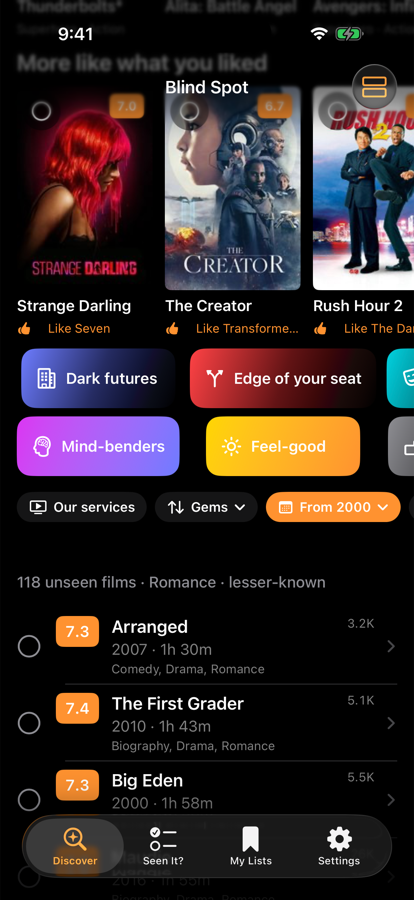
Tonight's picks
A short row of crowd-tested titles you haven't seen. Under each one you'll see why it's there, for example "Like Crash".
Because you liked…
Picks based on one title you liked, chosen at random each time you open Discover, newest first. Tap the title or the ↻ arrow to switch to a different liked title. "More like what you liked" blends all your recent likes.
Moods
Tap tiles like Mind-benders, Feel-good or Edge of your seat. Pick several and you'll see titles that fit any of them. More has the full list, including Foreign films.
Sorting and filters
- The pills under the moods change the sort (Top rated, Gems, Most popular, Newest…) and the release year. Discover starts on Top rated, from 2000.
- Our services shows only what's on the services you ticked in Settings.
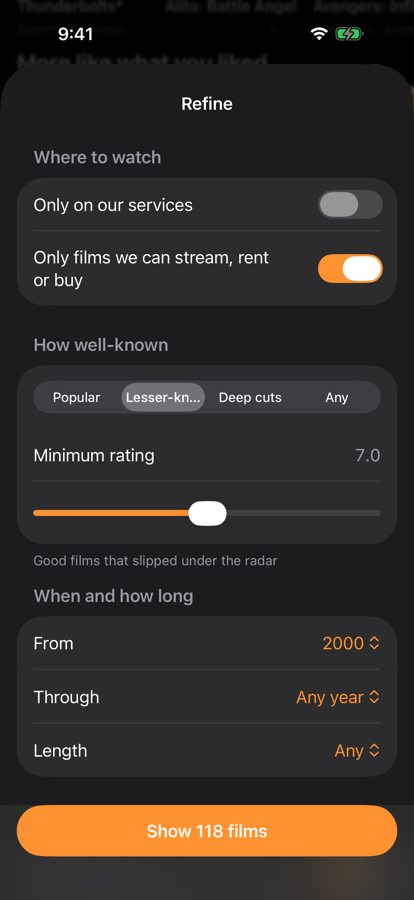
- Refine has everything else: rating, how well-known, genres, languages, length, and what to hide. It shows how many titles match as you go.
- If very few titles match, Blind Spot suggests ways to widen the search.
Marking a title
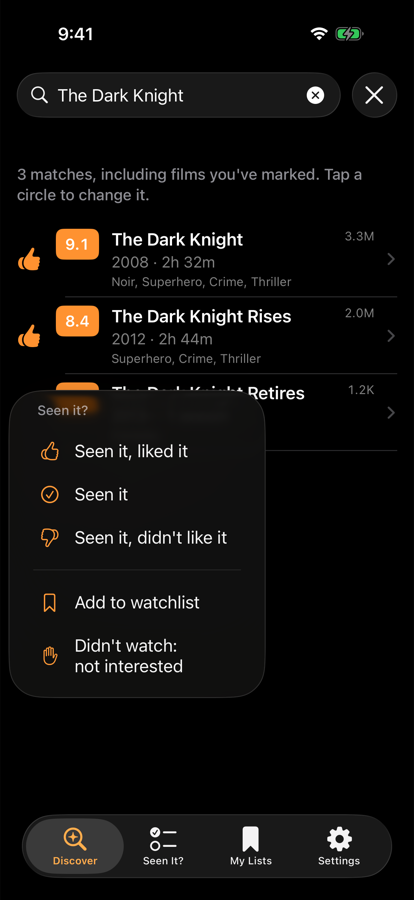
Tap the circle on any poster or row: Liked it, Seen it, Didn't like it, Watchlist, or Not interested. You can also swipe rows. Every change has an Undo.
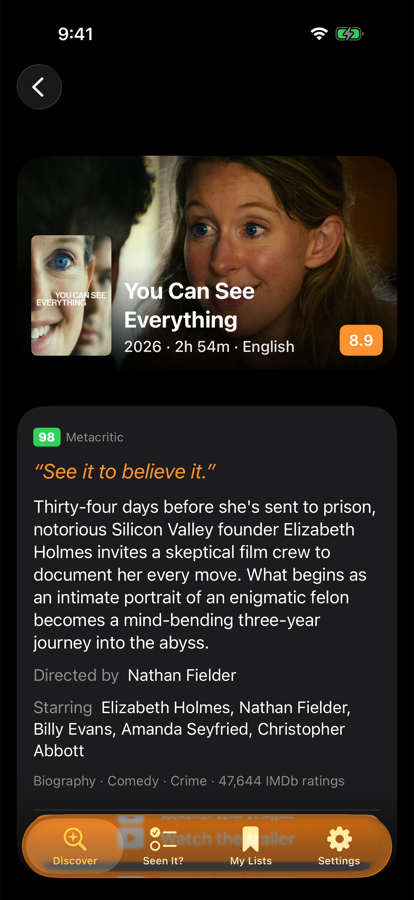
Tap a title to see its plot, cast, trailer, Metacritic score and where to watch it.
Seen It?
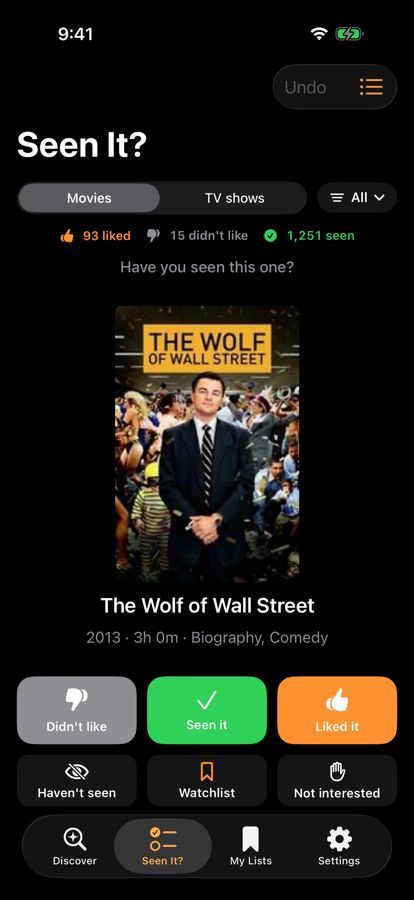
The fastest way to teach Blind Spot what you've seen. It shows the best-known titles you haven't marked, most popular first.
- Cards: swipe right for liked, left for didn't like, up for haven't seen. Or use the buttons, including Watchlist and Not interested. Tap the poster to read the plot.
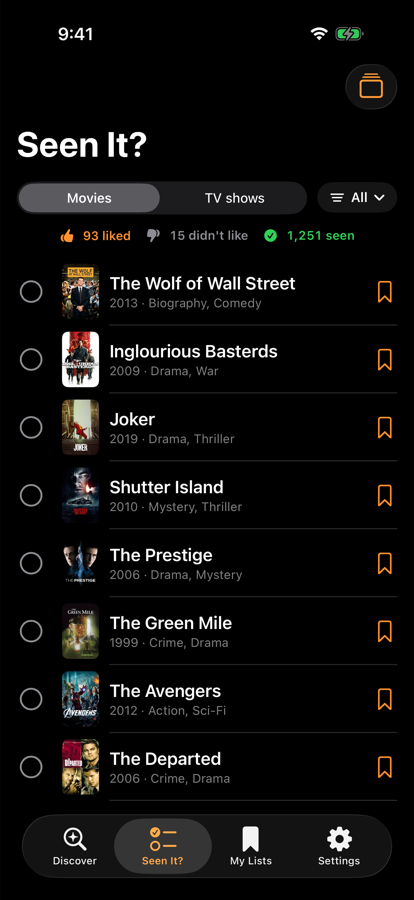
- List: tap the list icon at the top right to see 25 titles at a time. Tap the circle to mark one, the bookmark to save it, and Next 25 to move on.
- Undo steps back through every answer.
- Titles you mark here don't come back. "Haven't seen" titles go to My Lists → Haven't seen and still appear in Discover.
My Lists
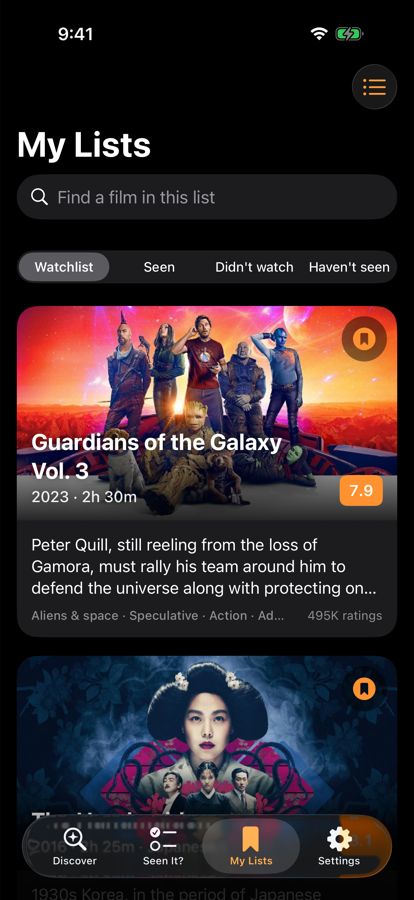
- Watchlist: things you want to watch.
- Seen: everything you've watched, filterable by liked or didn't like. Rate lets you add thumbs to titles you marked seen without one.
- Didn't watch: titles you said you're not interested in.
- Haven't seen: titles you skipped in Seen It?.
Marked something by mistake? Swipe it left and tap Put back. The button at the top right switches between big picture tiles and a compact list.
Sharing with your household
The full guide, including what's shared, syncing and troubleshooting, is on the Family Sharing page.
Two or more people can share one combined list through iCloud.
- Everyone enters their own name in Settings → Household. Use different names.
- One person taps Start a household and sends the code (it looks like K7Q2-M9XF).
- Everyone else taps Join a household and enters that code. Don't tap Start on the second phone.
"Seen", watchlist and "not interested" are shared: if one of you marks something seen, it's hidden for everyone (or just for the people you pick in Who's watching?). Thumbs are personal. Each title shows who thought what, like "Greg 👍 Susanne 👎", and recommendations use everyone's likes.
Importing your history
In Settings → Import watch history you can bring in:
- Netflix: download your viewing activity from netflix.com (Account → Profile → Viewing activity → Download all). For shows, watching 3 or more episodes counts as seen.
- Prime Video, Letterboxd and IMDb exports.
- Any list of titles pasted as text.
The file is read on your phone and isn't uploaded anywhere.
Settings
- Services we subscribe to: powers "Our services" and highlights them on title pages.
- Never show: words or franchises to hide everywhere, like "Harry Potter".
- Always hide genres: genres you never want to see, anywhere.
- Streaming country: where-to-watch information depends on your country.
- Show the intro again, and the app version for when you report a problem.
Siri
Say the app's name in the command:
- "Hey Siri, add to my Blind Spot watchlist". Siri asks which title.
- "Hey Siri, add Dune to Blind Spot".
The same action is in the Shortcuts app under Blind Spot. After installing or updating, open Blind Spot once and give Siri a few minutes to learn the phrases.
On a Mac
Blind Spot runs on Macs with Apple silicon. Install it from the TestFlight app on your Mac, then join your household in Settings to see the same list.
FAQ
A movie disappeared. Where did it go?
Once anyone in your household marks a title seen or not interested, it's hidden from Discover and Seen It?. Find it in My Lists and swipe left → Put back. You can also search for it in Discover: search shows everything, even hidden titles.
Why don't I see many foreign-language films?
By default, foreign-language films appear only once they're famous (150,000+ IMDb ratings, like Parasite). Tap the Foreign films mood to see them all, or turn off Lesser-known foreign films in Refine → Hide.
My partner's marks aren't showing up.
Check that you both see the same code in Settings → Household and have different names. Changes sync within about 30 seconds while the app is open. If one of you tapped "Start a household" by mistake, tap Leave and then Join with the other person's code.
Siri says it can't do that, or opens the TV app.
Include "Blind Spot" in what you say. Then open the app once after installing and wait a few minutes. You can also run Add to Watchlist from the Shortcuts app.
Why is a rating different from what I see elsewhere?
The orange number is the IMDb user rating. Title pages also show the Metacritic critics' score when there is one. When sorting, Blind Spot adjusts for languages whose films get inflated ratings from home audiences.
Where-to-watch says a title isn't available.
Streaming catalogs change daily. Blind Spot uses JustWatch data through TMDB and refreshes it regularly. Tap All options on TMDB on the title page for the latest.
Still stuck? Contact support.