Family Sharing
One list for everyone you watch with.
Movie night is rarely a solo decision. With a Blind Spot household, everyone's phones (and Macs) share one combined list through iCloud. Anything any of you has seen is hidden for all of you, so Discover only shows what nobody has watched yet. And everyone keeps their own opinions.
Set it up (2 minutes)
Everyone needs Blind Spot installed and to be signed in to iCloud on their device. You do not need to share an Apple ID; each person uses their own.
On the first phone
- Open Settings and scroll to Household.
- Type your name in Your first name.
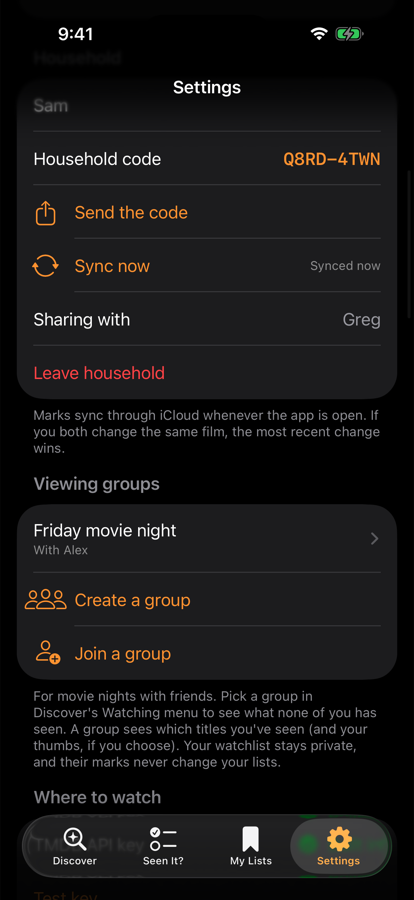
- Tap Start a household. You'll get a code like K7Q2-M9XF.
- Tap Send the code to text or email it to the others.
On every other phone
- Open Settings → Household and type your own name.
- Tap Join a household and enter the code.
Whatever each of you had already marked is combined right away, including imported Netflix history.
What's shared, what's yours
| Shared with everyone | Yours alone |
|---|---|
|
|
Everyone's opinion, side by side
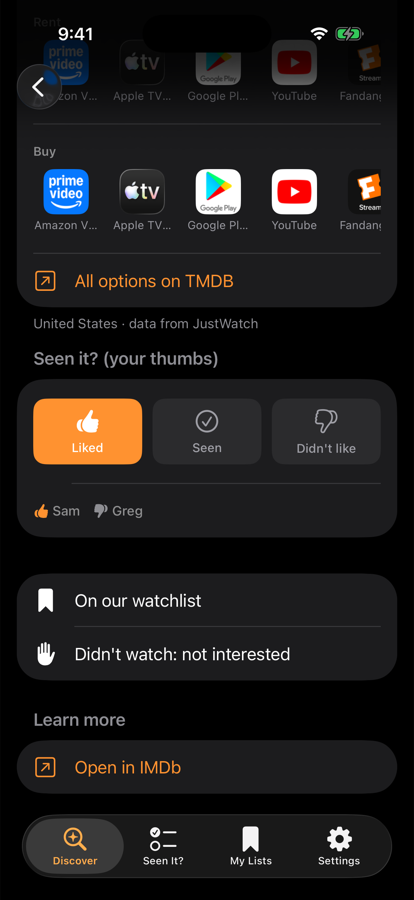
When someone else rates a title, it shows up next to yours: on the title page as Greg 👍 Susanne 👎, and as initials in My Lists. The thumbs buttons on a title page are always your thumbs.
Recommendations use everyone
"Because you liked…" and "More like what you liked" draw on everyone's likes. A title you both liked counts double, and a split decision mostly cancels out. Filters in My Lists → Seen (Liked, Didn't like) mean liked or disliked by anyone in the household.
Who's watching tonight?
Blind Spot remembers who has seen each title, not just that someone has. Once your household has more than one person, Discover shows Watching: Everyone ▾ under Movies / Shows.
- Everyone (the default): hide anything anyone has seen, so you only get titles that are new to all of you.
- Just some of you: tap it and tick who's on the couch tonight. Discover then hides only what those people have seen. Perfect for finding a film you loved that your partner has never watched, or a movie for you and the kids that the kids haven't seen.
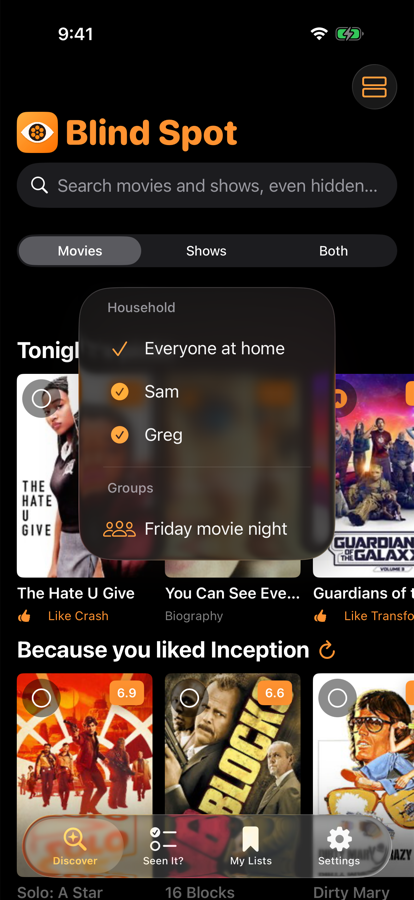
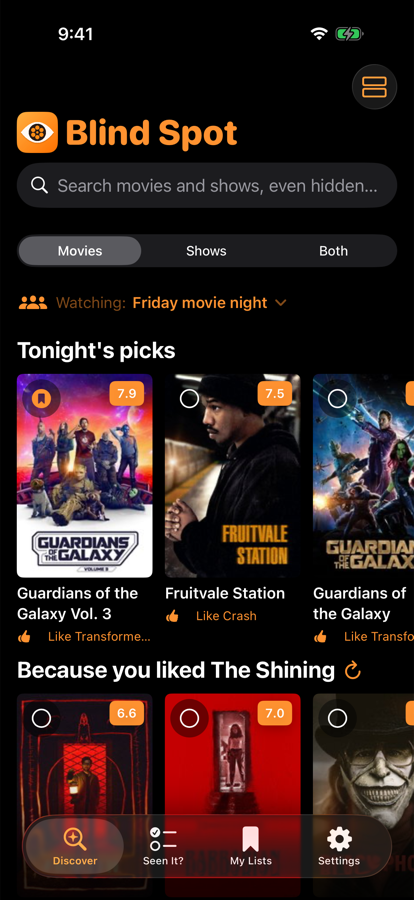
Your choice is remembered on your device until you change it. Titles marked seen before this feature existed count as seen by everyone until the household syncs and fills in who watched what.
Viewing groups with friends
Your household is the people you live with. A viewing group is for everyone else you watch with: a weekly movie night with friends, the in-laws at the holidays. You can be in as many groups as you like.
Create or join a group
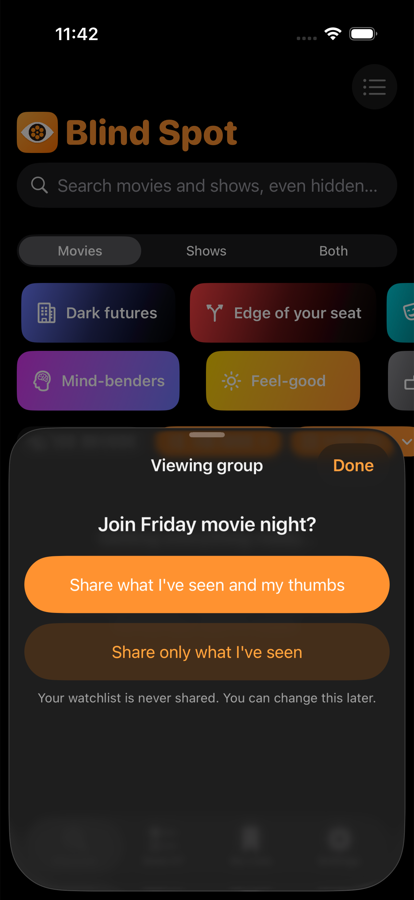
- In Settings → Viewing groups, tap Create a group and give it a name, like "Friday movie night". Or tap Join a group and enter the code a friend sent you. Group codes look like GRP-K7Q2-M9XF.
- Choose what the group sees: what I've seen and my thumbs, or only what I've seen. You can change this later in the group's settings.
- Tap the group to Send the code to your friends.
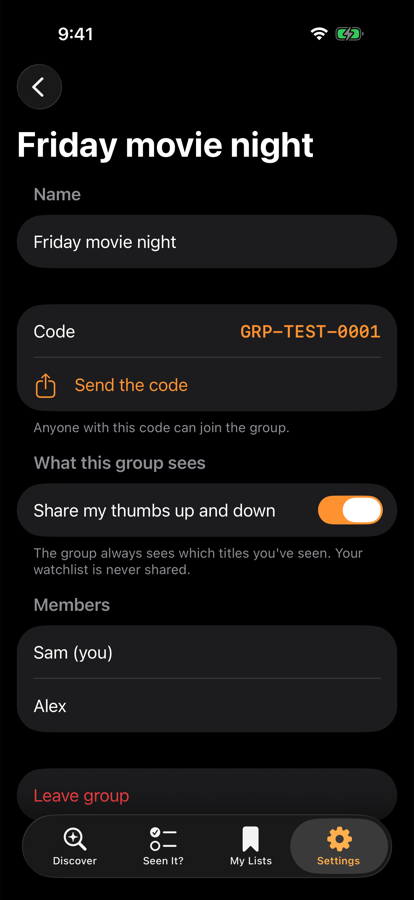
Use it on movie night
In Discover, tap Watching and pick the group. Blind Spot hides everything anyone in that group has seen, including you, and shows what's new to all of you.
What a group can and can't see
- A group sees which titles you've marked seen, and your thumbs only if you chose to share them.
- Your watchlist and "not interested" titles are never shared with a group.
- Friends' marks never change your own lists. They only matter when you pick their group in Discover.
- Leave a group anytime from its settings. Your lists stay as they are.
Movie night nearby and QR codes
Everyone already in the same room? Skip the codes.
Start a movie night nearby
- The host opens Settings → Viewing groups → Start movie night nearby, names tonight's group and chooses what it sees.
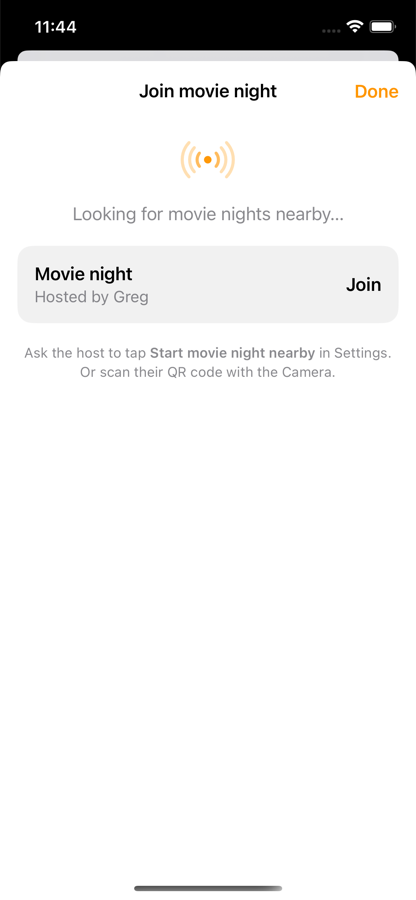
- Everyone else opens Settings → Join movie night nearby. The host's movie night pops up; tap Join and choose what to share.
- The host sees each person appear under Joined. Then everyone picks the group under Watching in Discover.
Phones find each other over Wi-Fi and Bluetooth. The first time, iPhone asks to let Blind Spot find devices on your local network; tap Allow.
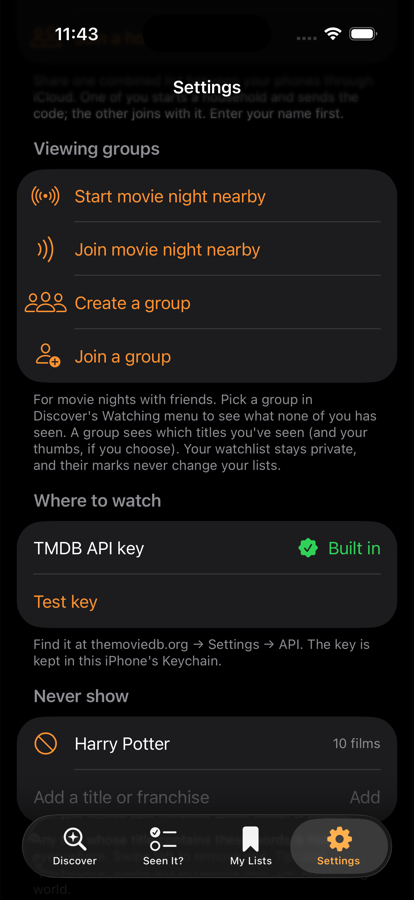
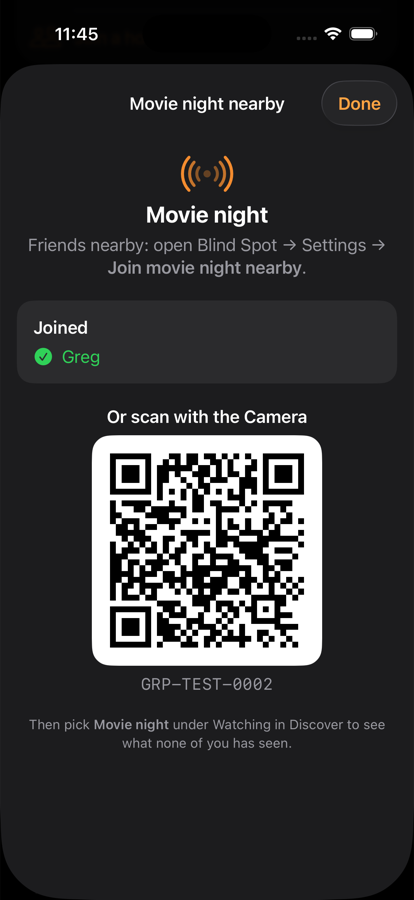
Or scan a QR code
Every group has a QR code: on the host's screen during a nearby movie night, and on the group's page in Settings. Friends point their iPhone Camera at it and tap the link; Blind Spot opens and asks if they'd like to join.
How syncing works
- Changes are sent within a couple of seconds and picked up by the other devices about every 30 seconds while Blind Spot is open, and whenever it's opened.
- Tap Sync now in Settings → Household to check right away. It shows when the last sync happened.
- If two people change the same title, the most recent change wins for seen, watchlist and didn't watch. Thumbs never conflict, because they're per person.
- Titles added with Siri while the app is closed are shared the next time you open it.
- Joining a big household downloads everything once. After that, only new changes are fetched.
More than one device
Using Blind Spot on your iPhone and your iPad or Mac? Join the same household on each one and type exactly the same name on all of them. Blind Spot treats devices with the same name as the same person, so your thumbs follow you. Different people must use different names.
Households work for more than two: kids, roommates, anyone you watch with. Each person just needs a different name.
Leaving a household
Tap Leave household in Settings → Household. Your device stops syncing and keeps the list it has. To move to a different household, leave, then join with the new code. To have a household's shared records deleted from iCloud, see Privacy.
Troubleshooting
Their marks aren't showing up on my phone.
Compare the household code in Settings on both devices. They must match exactly. If they don't, one of you tapped Start instead of Join: tap Leave household, then Join a household with the other code. Then tap Sync now.
My own thumbs show up as someone else's.
Your devices have different names. Make the name in Settings → Household identical on all your devices (for example "Greg" on both). Blind Spot then moves those thumbs back to you automatically.
It says "Sign in to iCloud".
Household sharing uses iCloud. Open the iPhone's Settings app, sign in with your Apple ID, then come back to Blind Spot.
A title we both wanted to watch disappeared.
Someone marked it seen or not interested. Find it in My Lists, swipe left and tap Put back.
Nearby can't find the host.
Make sure both phones have Wi-Fi and Bluetooth turned on and Blind Spot is open on both. If you tapped Don't Allow for local network, turn it on in the iPhone's Settings → Privacy & Security → Local Network → Blind Spot. Or just scan the host's QR code.
Who can see our list?
Only people with your household code, using Blind Spot. Share it only with people you want on your list. Details are in the privacy policy.
More questions? See Help or contact support.